
Head officeStudio 2Comms room
Saved Sites
Keep each site's device lists and network profiles together. Import from Excel or CSV.
For AV and IT engineers on site. Discover devices, rescue unreachable equipment and switch your Mac between saved network profiles in seconds.
Scan the rack, bring back the switch, access point, camera or DSP that won't answer, then save the site for your next visit.
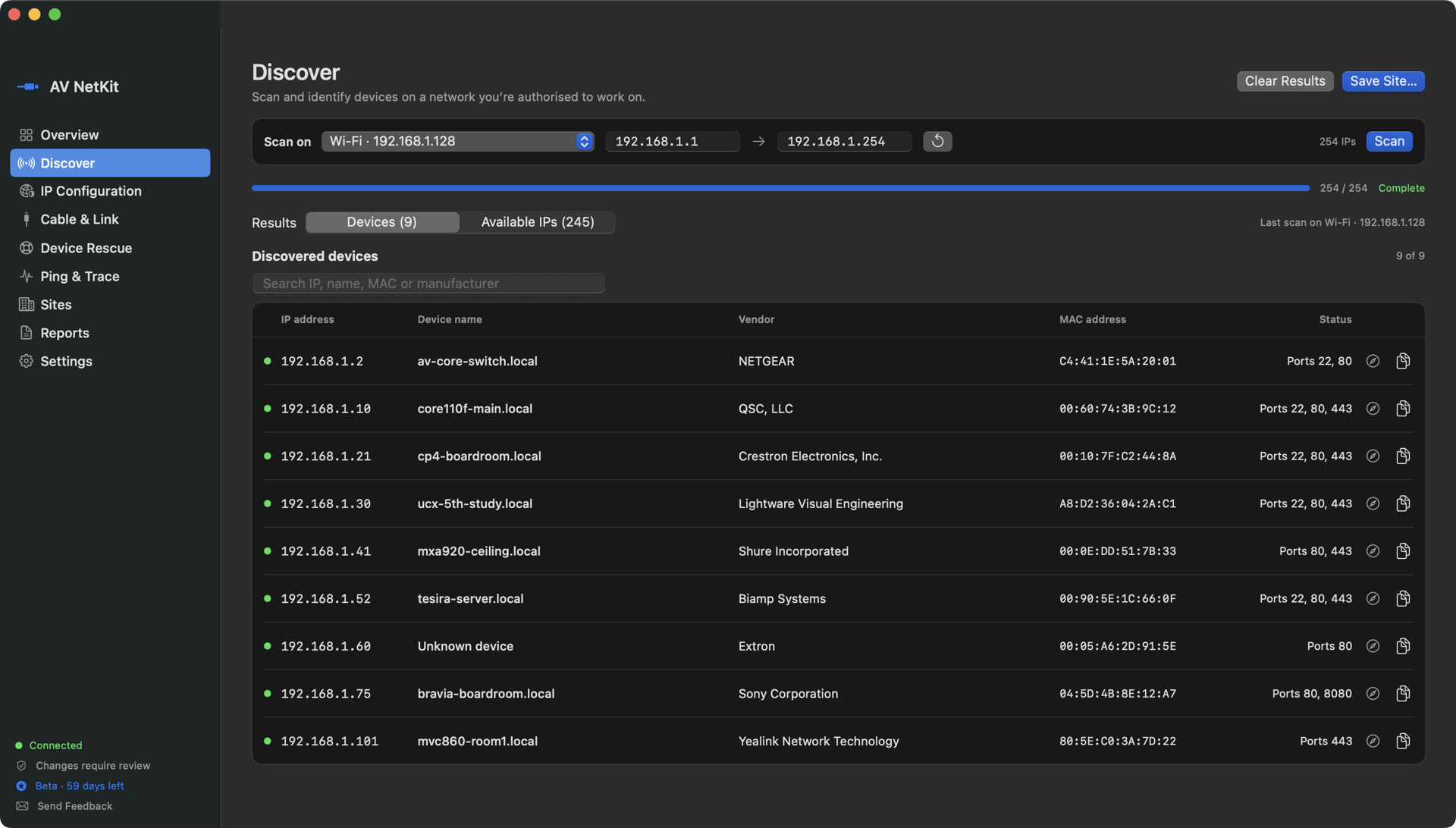
Actual AV NetKit screen · sample devices
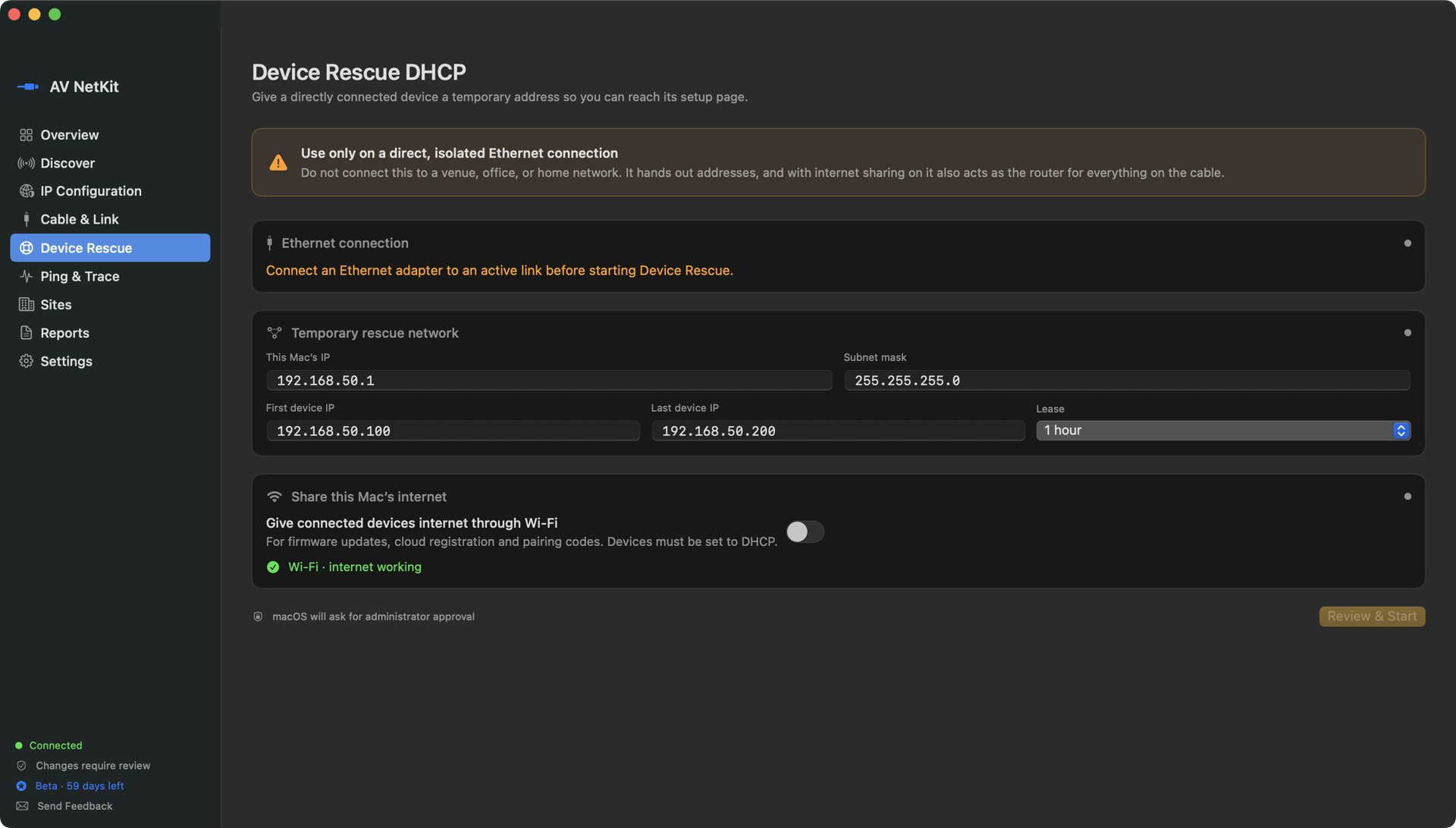
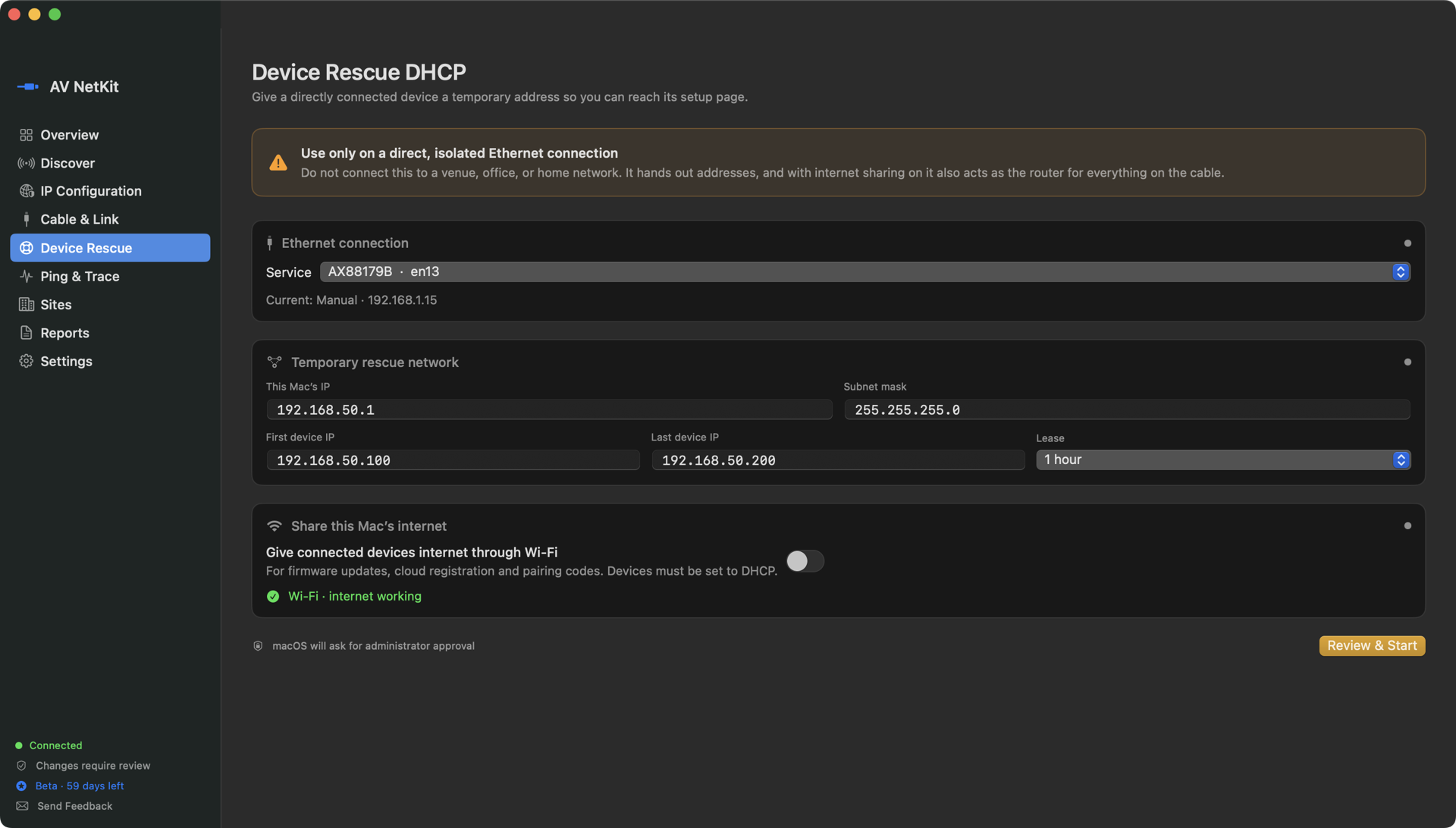
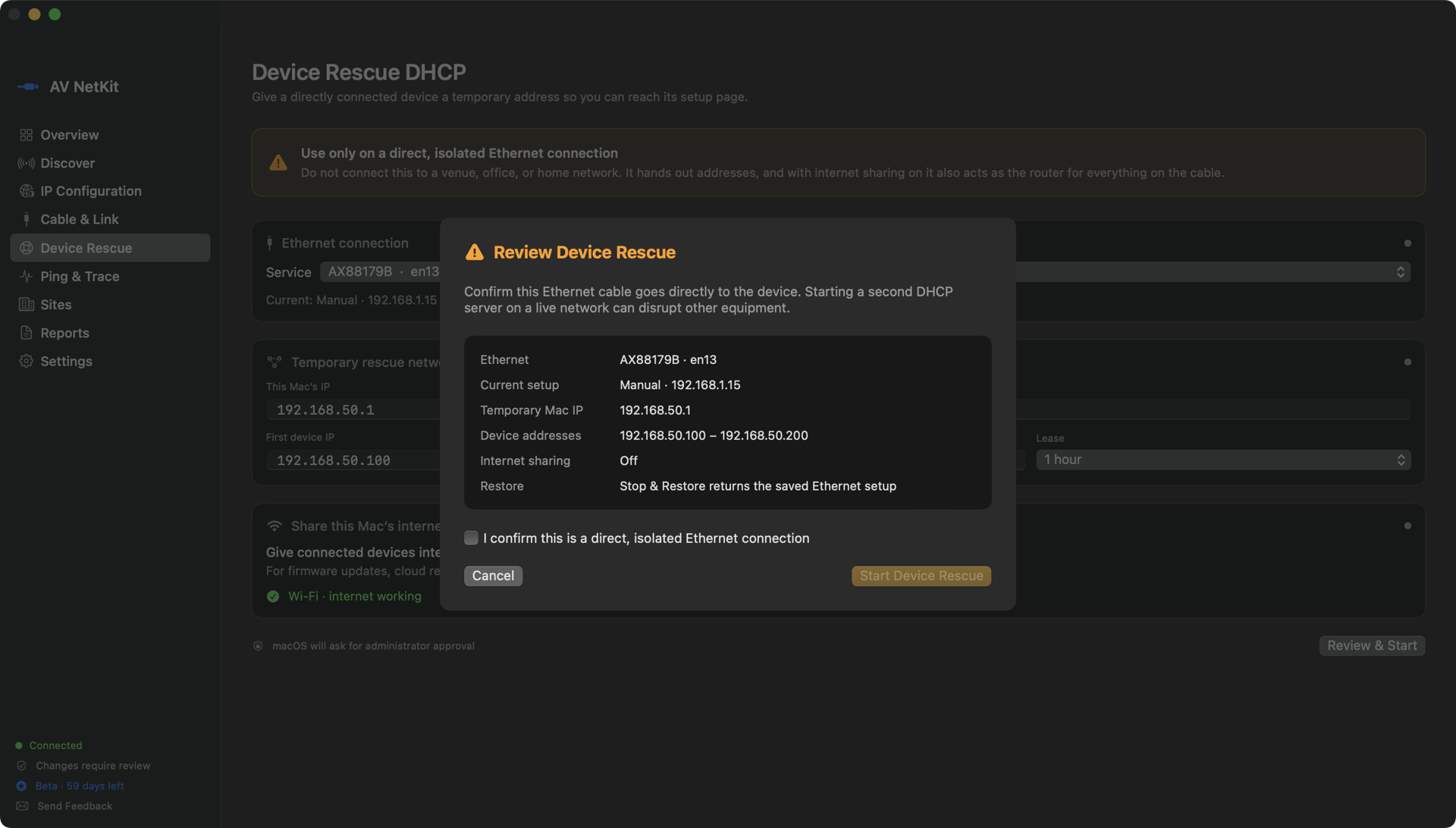
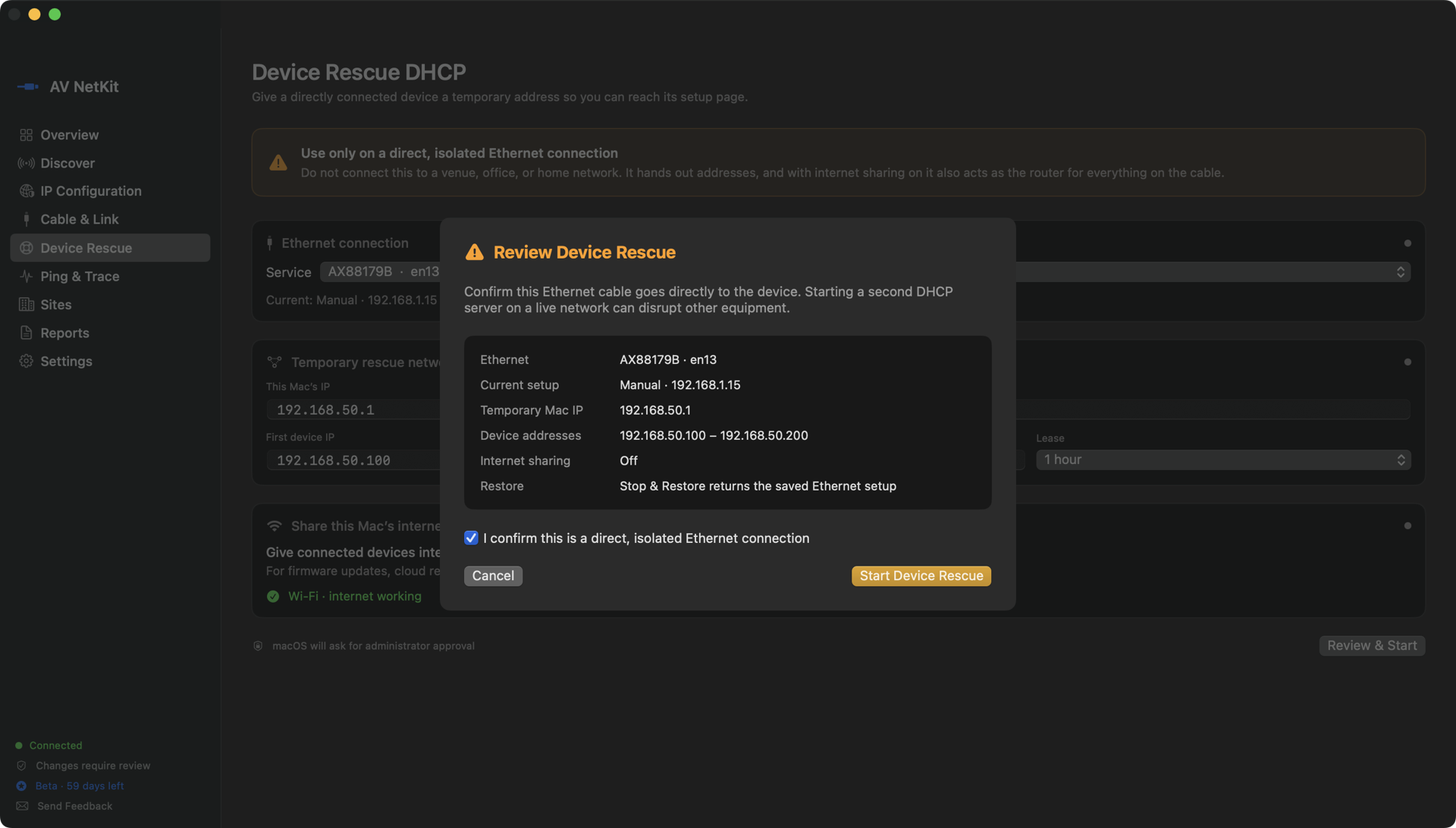
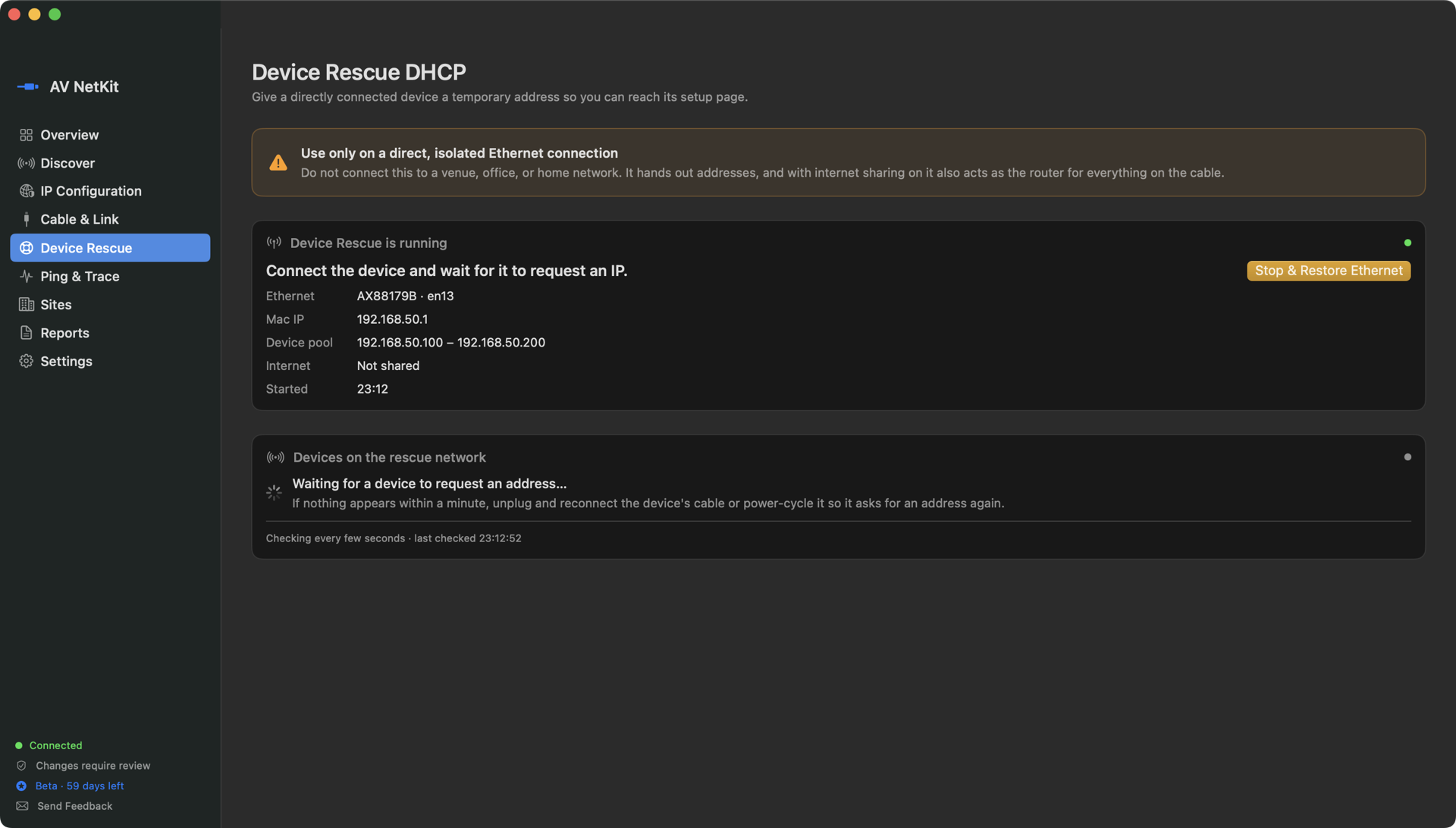
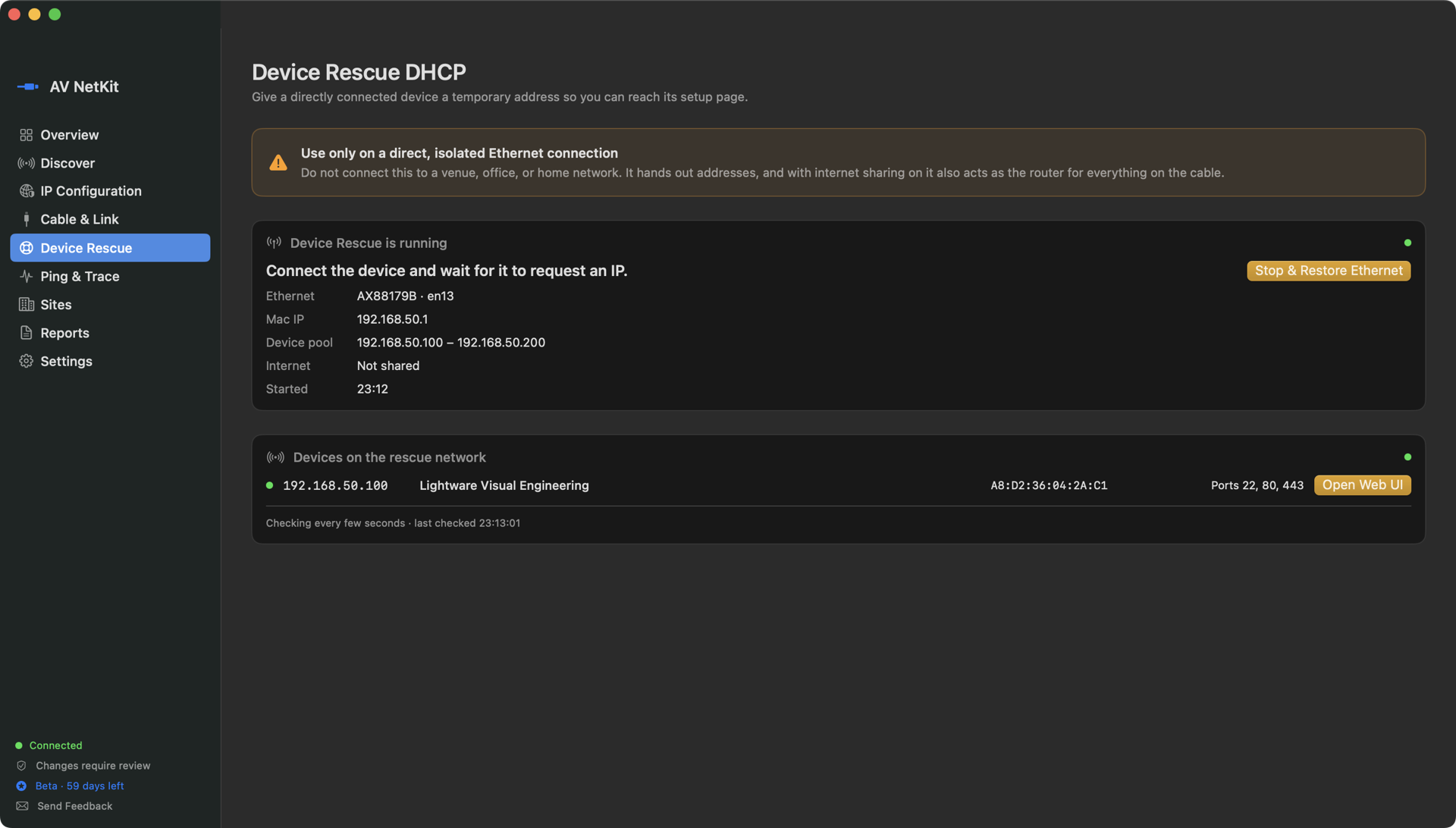
Actual AV NetKit screens · a Lightware UCX stuck on 169.254, reachable two seconds after starting
Save the IP each system needs once, then switch your Mac between them in seconds. No more digging through macOS Network settings at every rack.
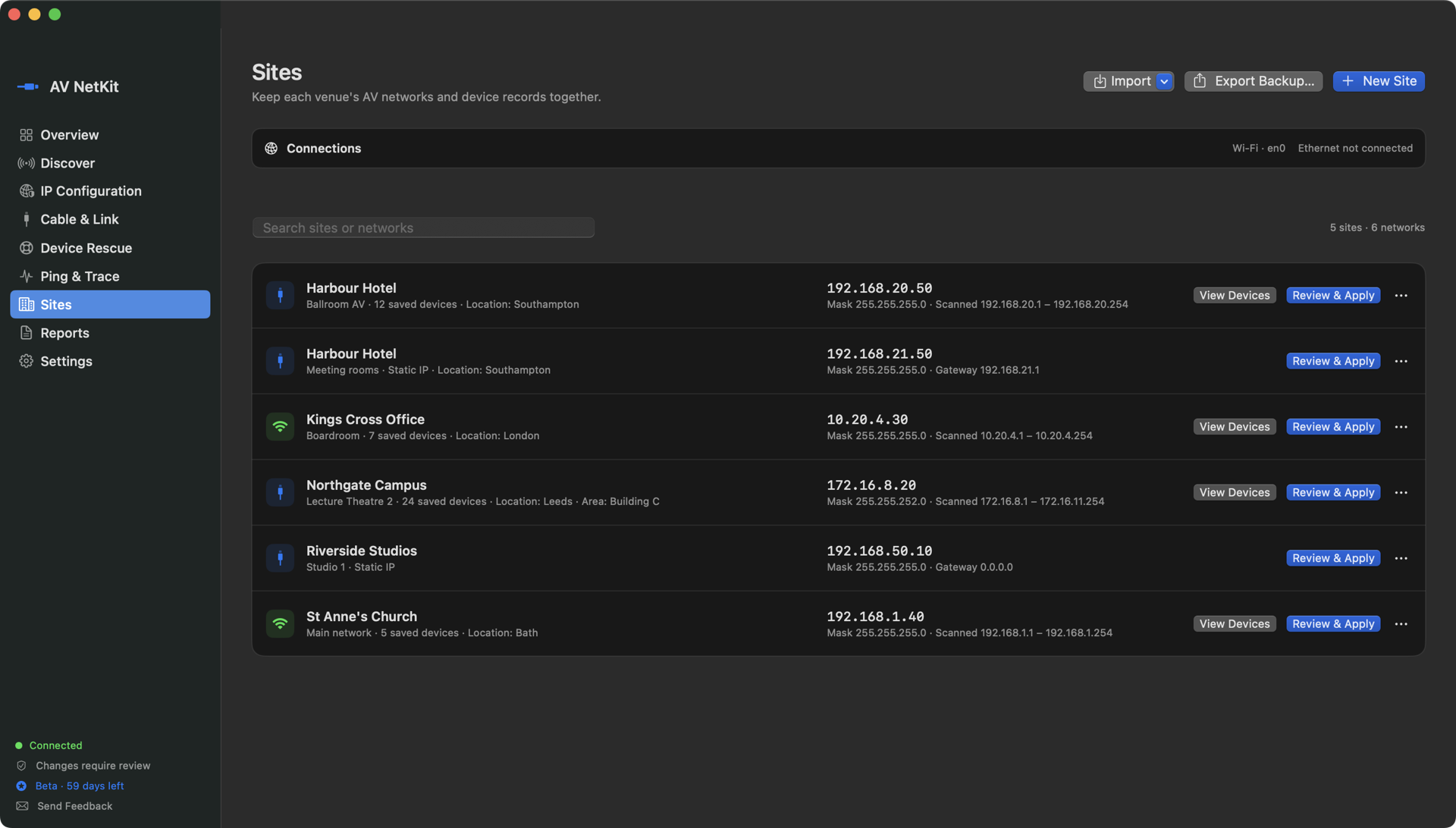
Actual AV NetKit screen · each site keeps its own IP profile, applied with Review & Apply · sample venues
Keep each site's device lists and network profiles together. Import from Excel or CSV.
Ping, trace route and Ethernet link checks.
Copy a network summary for troubleshooting notes and handover.
Scanning only looks; it never changes a device. Every network change is shown to you before it happens and needs your Mac password, and your original settings can always be restored.
On a live network it would act as a second DHCP server, so the app warns and asks you to confirm.
Scans and sites are never sent to us.
Free 30-day beta with every feature unlocked. Testers who send feedback can buy a Founder’s licence for £19.99 at launch. After the beta, Discover, Ping & Trace, Cable & Link and up to 3 sites stay free.
Drag AV NetKit into Applications. The first time you open it, your Mac will say it can't check the app; that's normal for the beta. Right-click it and choose Open, or on macOS 15 and later go to System Settings → Privacy & Security and click Open Anyway.
Feedback: Send Feedback in the app, or avnetkit@gmail.com ·